What replanif does
Six parts that work as one. Work tracking, the plan, the board and the reports all count the same work, so nobody spends Friday reconciling them.
Watch it work
About two minutes through a real workspace: the portfolio view and the risks behind its figures, then one project's plan, Gantt, flight plan, dependency map, leave calendar and build log.
Read the transcript instead
replanif
Project and programme delivery for professional services firms, PMOs, and engineering and construction teams.
Start the day here
What decides your attention first: overdue milestones, open high severity risks, each project's pace against plan.
Risk metrics across the portfolio
Every high severity risk from every project on one page, scored on likelihood and impact. Each row opens its record.
Computed, never typed up
Read from the projects themselves, so the view moves the moment the work does.
One project, every lever
Plan, Gantt, flight plan, dependencies, build log, risk log, reports and leave, all on one project record.
The project plan
A hierarchy of workstreams, tasks and milestones. Any item can depend on any other.
You decide how far a change travels
Move one date and see what follows, or realign everything at once. Every change is previewed before it commits.
The Gantt
The same plan as bars, with the dependency arrows drawn between them and today marked.
The flight plan
Workstreams and milestones only, the two levels a client reads. Pace and progress, no delivery detail.
The dependency map
What each item waits on, and what waits on it. The blockers still open are listed first.
Leave and public holidays
Both sit inside the project, so a pushed date lands on a day someone can work.
Risk scanning, on request
replanif AI reads the plan, the build log and the risk log, then proposes risks nobody logged. A person decides on each.
Risks, actions, issues, decisions, dependencies
Severity scoring and a heatmap put the entries most likely to hurt delivery at the top.
Build logs your team defines
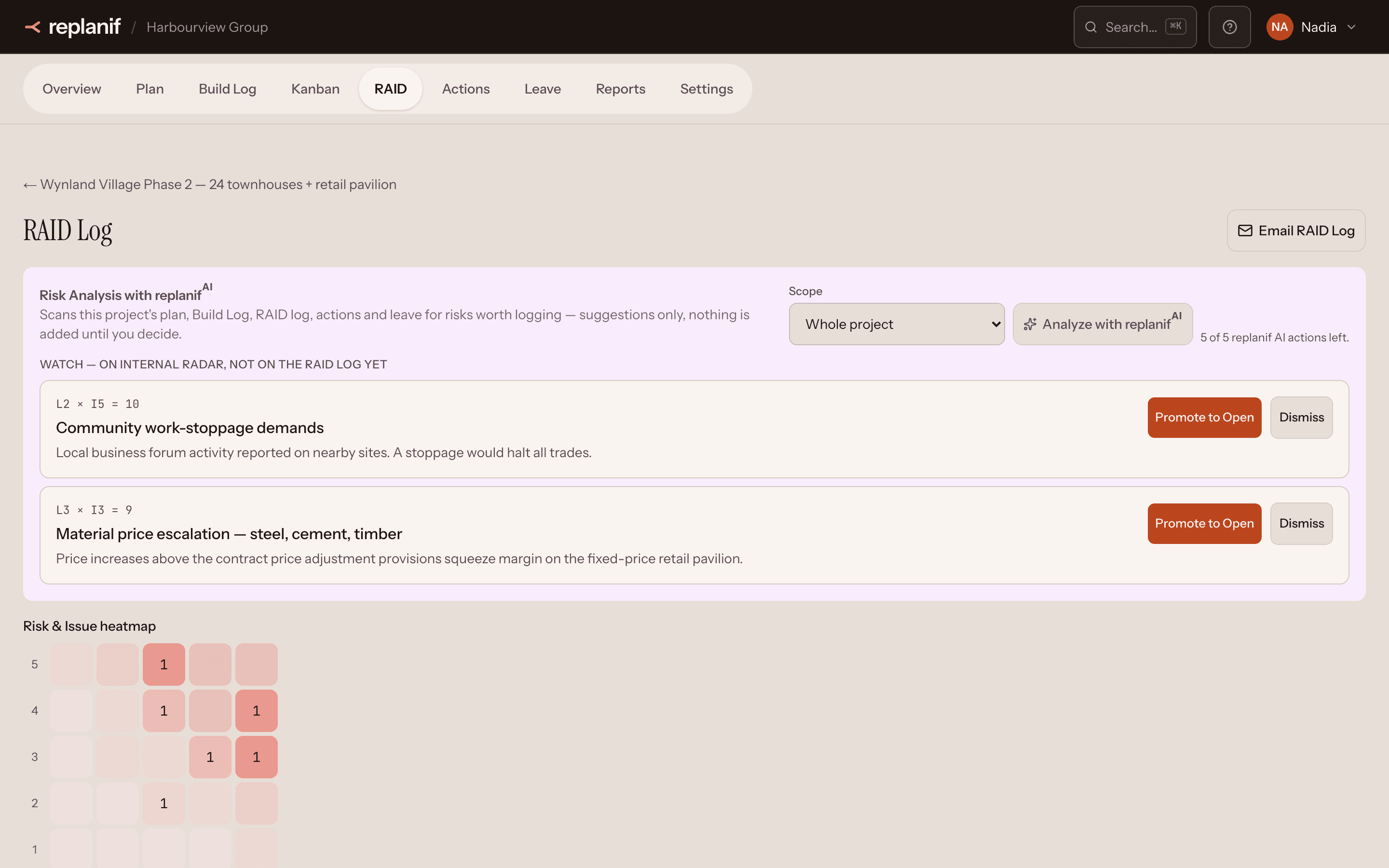
The work itself, grouped into categories you shape: the fields, the statuses, the structure.
Templates to start from
Every project starts from a template that works on day one, then your own team extends it.
The build moves, the plan moves
A plan task's completion is computed from its build log items, so progress follows the work.
The features you want, none that you don't
Book a walkthrough against your own delivery.
replanif.com
A product of Beamline AI (Pty) Ltd.
Work tracking
The Build Log: track the work your projects actually do, in templates your team designs.
- Define the categories and fields each kind of project needs, from approvals to snag lists
- Start from a ready-made template or build your own, and choose which templates your organisation uses
- Work in a table or on a board: the same records either way
- Import from a spreadsheet, with a preview of exactly what will be created
- Progress is counted from the work logged, never typed in
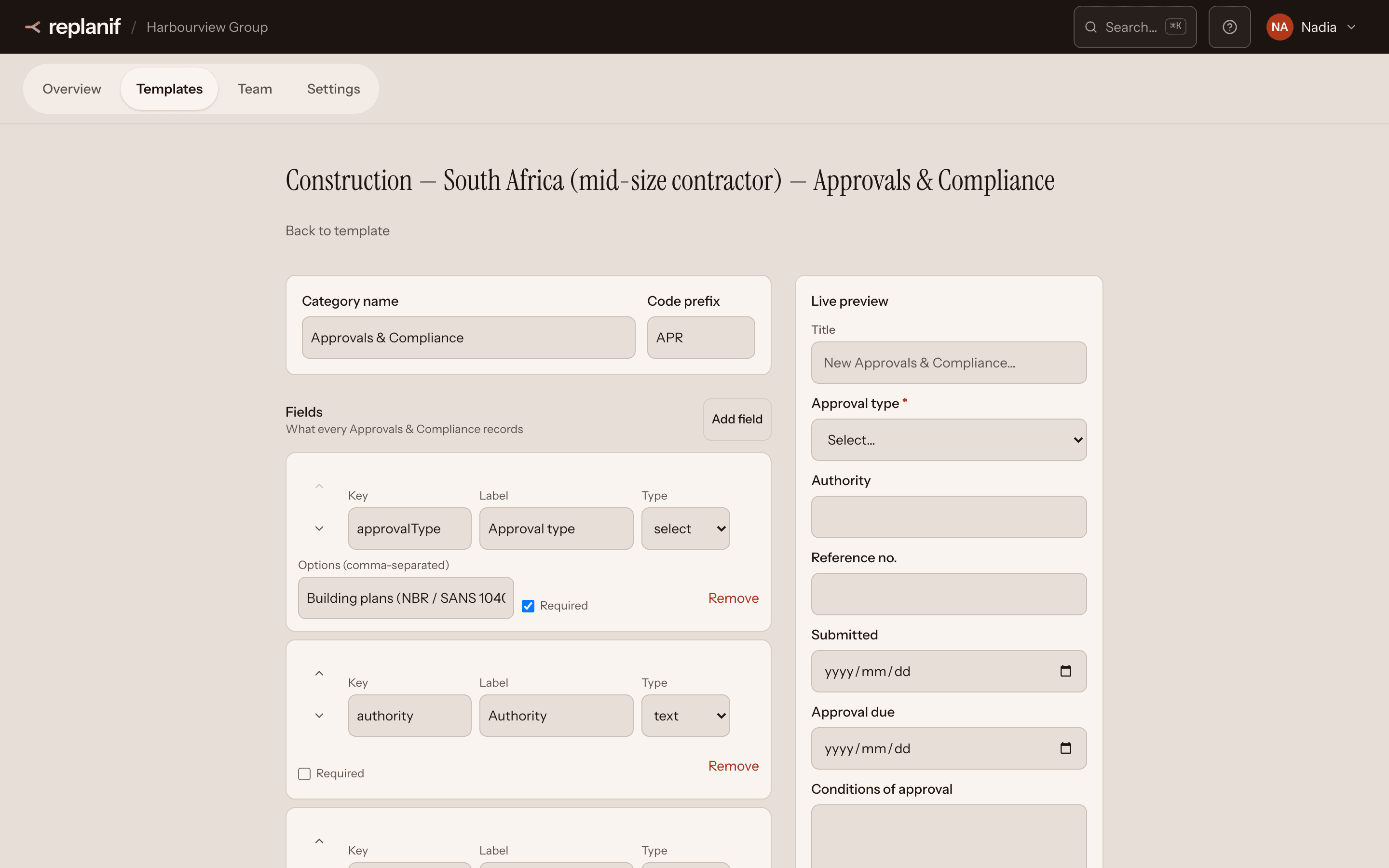
Project Plan
A plan that works from day one, with defaults that suit the vast majority of projects.
- Workstreams, tasks, milestones and dependencies in one hierarchy
- Any item can depend on any other — a two-step handover or a hundred-edge programme, tracked the same way
- Move a date and everything that depends on it follows, and you see what will move before you accept it
- Working calendars and public holidays are respected, so nothing lands on a weekend
- Table, Gantt and board views of the same plan
- Import and export CSV; red, amber and green schedule status at a glance
- Need it shaped to your organisation? That is our Enterprise service
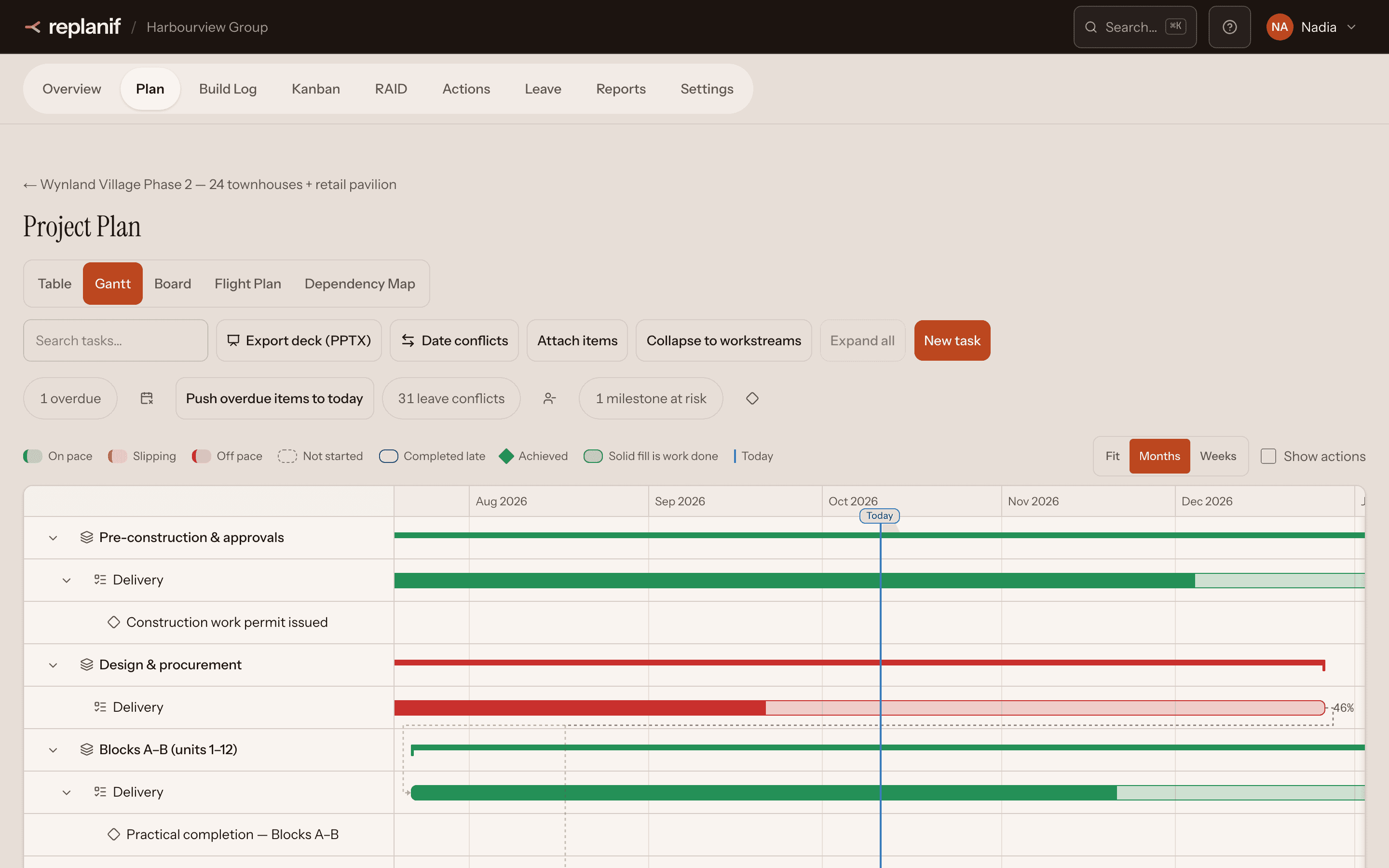
Kanban
Boards for the teams that want them, working alongside the plan or instead of it.
- Plan, board or both: chosen per project, so every team works its own way
- Drag a card or change its status; either way it updates the same record the plan counts
- A column for each status, matching your project's own vocabulary
- Epics and sprints for teams that run fully agile, plus a dependency map (Team plan and above)
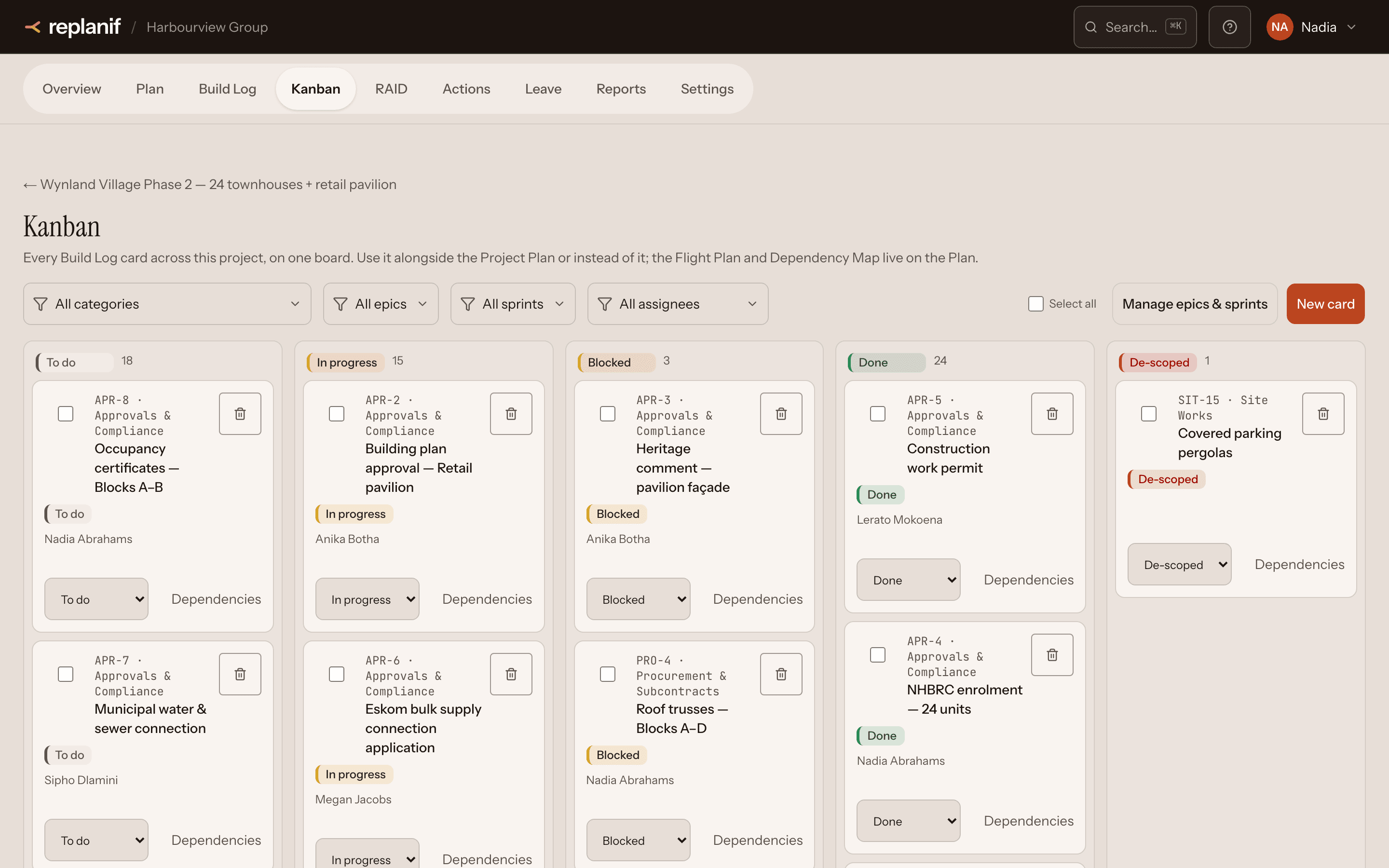
RAID log
Risks, actions, issues, decisions and dependencies, scored and in one place.
- Every risk scored and ranked on a heatmap
- Set the bands to your own risk appetite
- Risk analysis with replanif AI reads the project and proposes risks; you decide what is logged
Reports & status · Starter plan and above
Reports that build themselves from the work, and status reports that stay as sent.
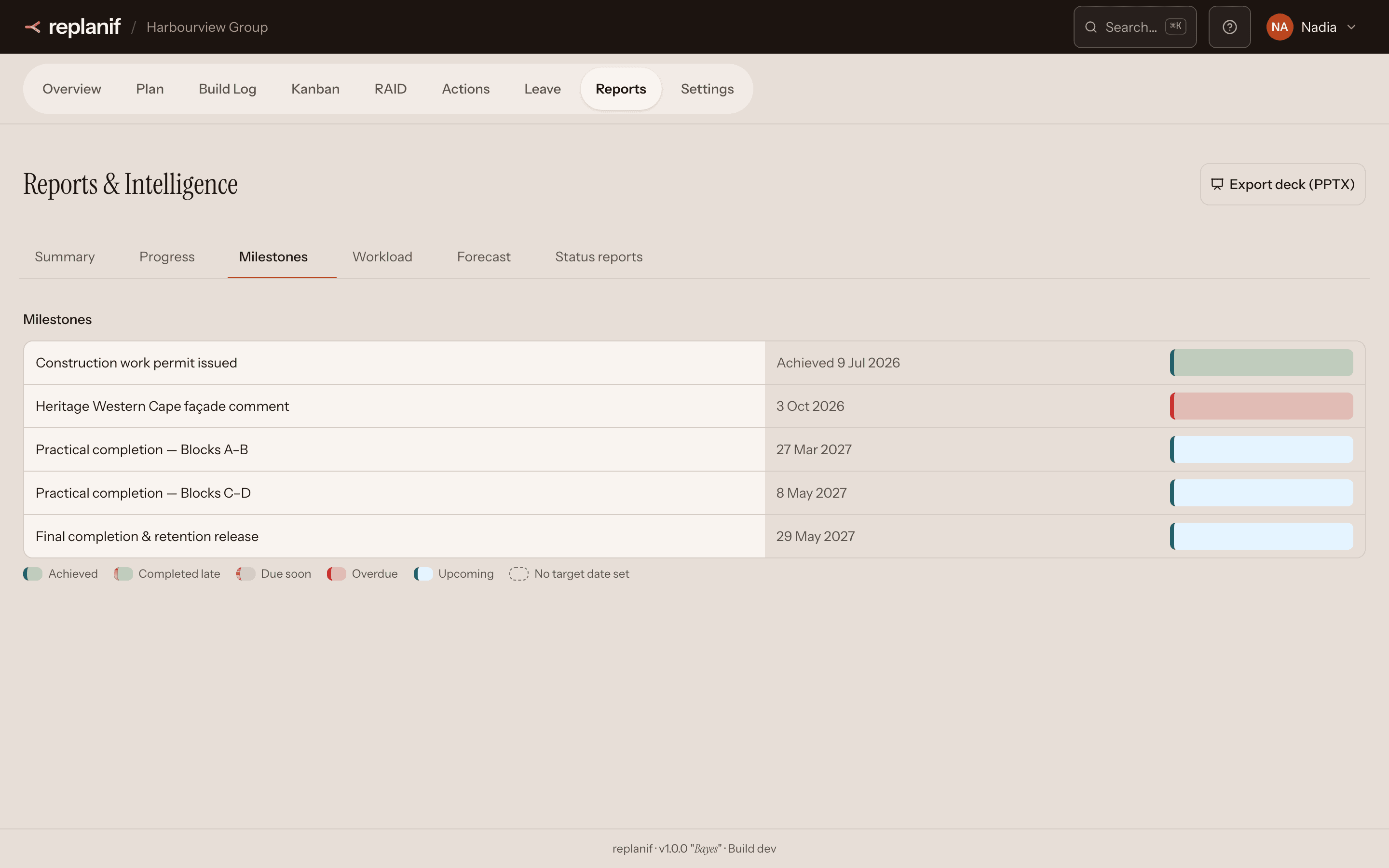
- Progress, workload, milestones and category health, always current
- Point-in-time status reports that keep saying what they said on the day
- Print or export for the people who never log in
Flight Plan forecast · Team plan and above
Where the project will really land, given how the work has gone so far.
- A forecast from progress to date, with the knock-on effect of every dependency
- replanif AI tightens the forecast where the RAID log or status history says it is optimistic, always with its reason
- Offered on request, and never written into your plan
Under the hood
The parts that are hard to get right, done properly so your team never has to think about them.
A scheduler that knows your calendar
Working days, public holidays and parent-and-child dates, handled every time a date moves.
Your templates drive the plan
Whatever your team tracks, the plan's progress is counted from it, for any template you design.
Calculations you can rely on
Over 500 automated regression checks pin the product's calculations, so a change never quietly moves your numbers.
replanif AI suggests; your people decide
Nothing it proposes is saved until someone on your team accepts it.
How replanif looks after your data: the names your workspace knows kept out of replanif AI, data kept separate, encrypted backups.
See it on your own projects.
A short walkthrough against the way your team actually delivers, not a generic tour.
Book a demo